SONOFF CAM-PT2 Wi-Fi Indoor Security Camera
SONOFF CAM-PT2 Wi-Fi Indoor Security Camera
Couldn't load pickup availability
340° horizontal and 180° vertical rotation, Full HD 1080p resolution, color night vision, and AI human detection: the SONOFF CAM-PT2 Wi-Fi smart indoor security camera monitors every corner of your home without blind spots. Compatible with Alexa and Google Home, it can be controlled from the eWeLink app or by voice command, anytime, anywhere.
Complete Coverage, Clear Image Day and Night
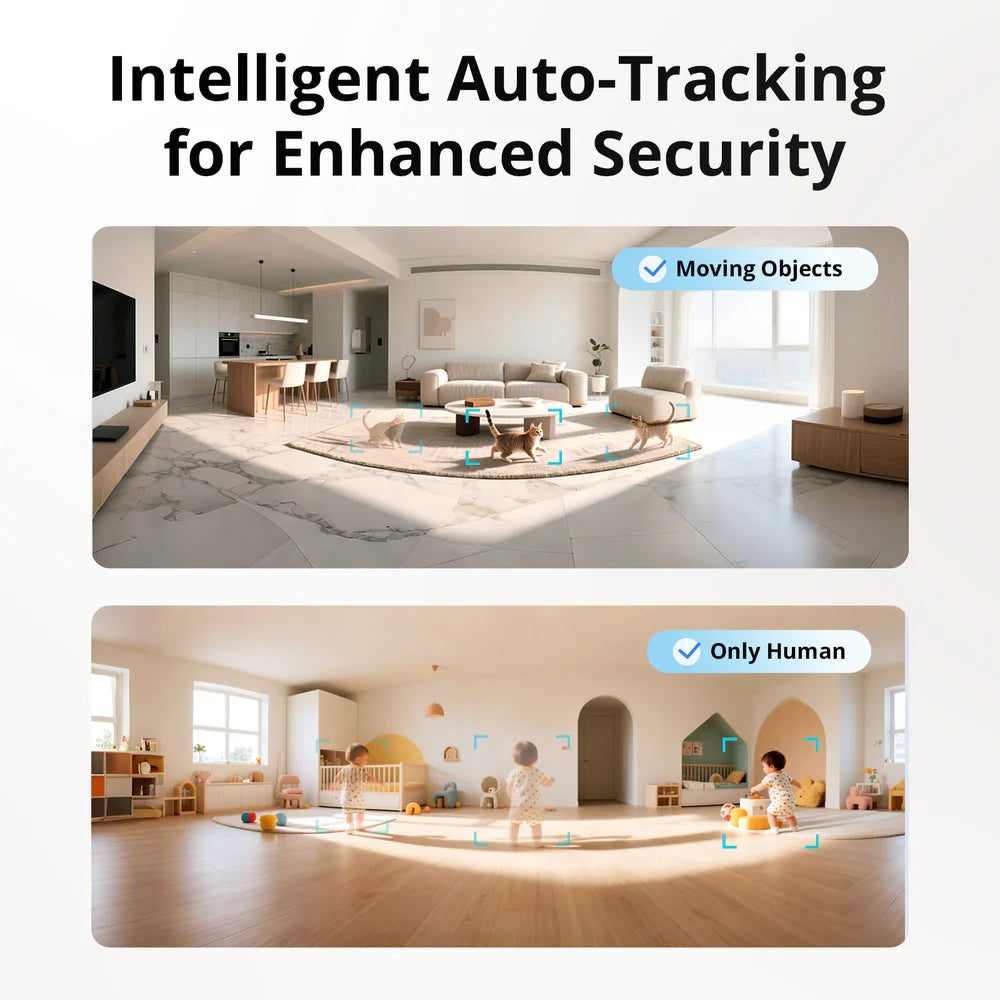
With six configurable preset points, the SONOFF CAM-PT2 Wi-Fi smart indoor security camera instantly switches to key areas of your choice: entrance, baby's room, living room, or office. The two invisible 940nm infrared lights provide discreet night vision without disturbing sleep, while the built-in light sensor automatically activates white lights for a realistic color image in total darkness. AI human detection distinguishes people from animals, lighting changes, and other factors for accurate, false-alarm-free alerts. Detection zones are customizable to focus surveillance on areas that truly matter.
The SONOFF CAM-PT2 Wi-Fi Smart Indoor Security Camera Respects Your Privacy and Secures Your Recordings
For those who want complete control over their surveillance, this SONOFF CAM-PT2 Wi-Fi smart indoor security camera offers a physical standby mode that completely shuts off the camera on demand, as well as customizable privacy zones to mask certain parts of the room. Recordings are stored locally on a microSD card up to 128GB, or in the cloud via an eWeLink subscription, according to your preferences. Two-way audio communication allows real-time interaction with occupants or visitors from the app, and ONVIF/RTSP support offers integration with an NVR or PC on the same local network.
FAQ
Does the SONOFF CAM-PT2 work without a cloud subscription?
Yes, local recording to a microSD card up to 128GB works without a subscription. Cloud storage is optionally available via an eWeLink camera plan subscription for those who wish to access their recordings remotely.
Can the CAM-PT2 be used as a baby monitor?
Absolutely. The invisible 940nm infrared night vision monitors without disturbing light, two-way audio allows speaking to the child from the app, and human detection alerts warn of movement in the room.
Is the camera compatible with Apple HomeKit?
No, the SONOFF CAM-PT2 works via the eWeLink app and is compatible with Alexa, Google Home, and IFTTT, but does not support Apple HomeKit.
Specifications
|
Specifications |
Details |
|
Model |
CAM-PT2 (Smart Wi-Fi Indoor Pan-Tilt Security Camera) |
|
Product Type |
Motorized Pan-Tilt (PTZ) Security Camera |
|
Video Resolution |
Full HD 1080p |
|
Lens Aperture |
F2.0 |
|
Camera Lens Angle |
> 100° |
|
Rotation Angle (Pan-Tilt) |
Horizontal: 340° / Vertical: 180° |
|
Night Vision |
Invisible Infrared (940 nm LEDs) + Automatic white light for full-color night vision |
|
Video Compression |
H.264 |
|
Power Input |
5V ⎓ 2A via USB Type-C interface |
|
Wireless Connectivity |
2.4 GHz Wi-Fi (IEEE 802.11 b/g/n) |
|
Local Network Integration |
ONVIF and RTSP protocols supported (for NVR, NAS, or PC) |
|
Storage Methods |
MicroSD / TF card (supports up to 128GB max., with loop recording) & eWeLink Cloud Storage |
|
Smart AI & Tracking |
AI Human Detection (distinguishes people from pets/objects), Smart Tracking, customizable motion detection zones & sensitivity |
|
Key Features |
Up to 6 configurable preset points, Two-way Audio (mic & speaker with volume controls), Physical Sleep Mode, Privacy Zones |
|
Mobile App |
eWeLink (iOS and Android) |
|
Smart Home Compatibility |
Amazon Alexa, Google Home, IFTTT |
|
Enclosure Material |
ABS |
|
Operating Location |
Indoor use only |
|
Operating Temperature |
-10°C to 40°C |
|
Operating Humidity |
5% to 95% RH (non-condensing) |
|
Product Dimensions |
∅ 74mm × 119mm |
|
Net Weight |
193 g (accessories not included) |
|
Color |
Black and White |
|
Executive Standard |
EN IEC 62368-1 |
|
Certifications |
CE, FCC, RoHS |
Share