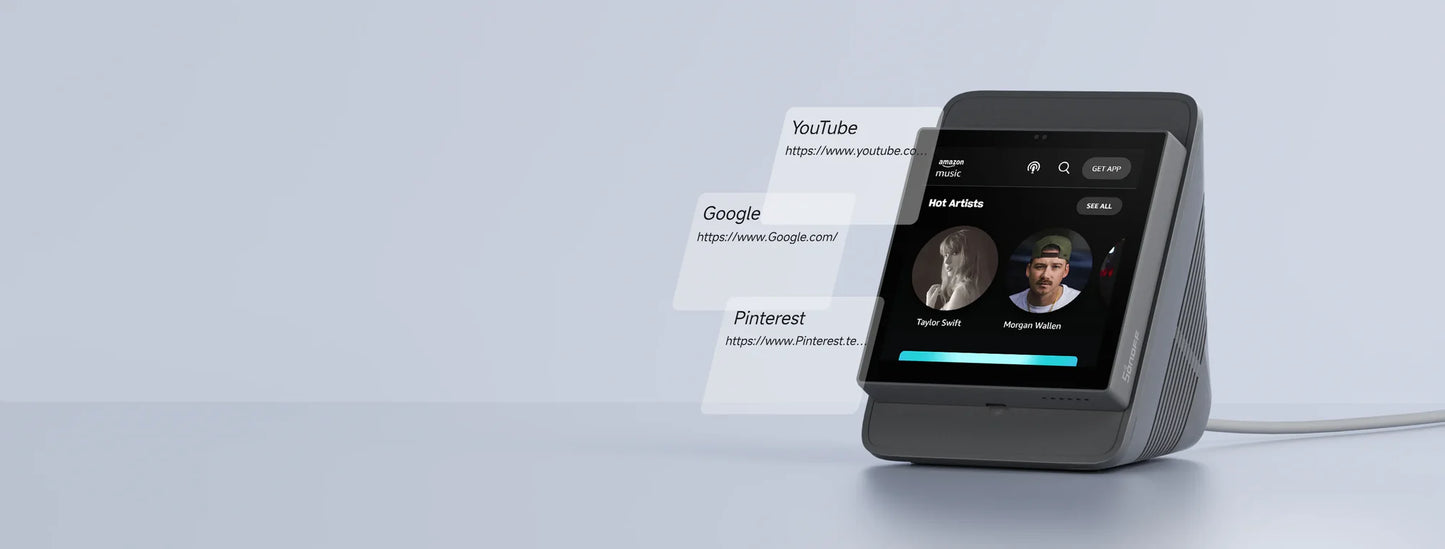
SONOFF NSPanel Pro 86 Smart Home Control Panel
SONOFF NSPanel Pro 86 Smart Home Control Panel
Couldn't load pickup availability
Integrated Zigbee 3.0 hub, live camera feed, three customizable security modes, and thermostat control from a single 86 × 86 mm wall-mounted touchscreen: the SONOFF NSPanel Pro 86 smart home control panel centralizes an unlimited number of SONOFF devices without the need for multiple interfaces or gateways. Compatible with Alexa and Google Home, it is suitable for both beginner households and advanced smart home installations with sensors, switches, and cameras.
Integrated Zigbee 3.0 hub, smart security, and live camera monitoring
Adding Zigbee devices is done directly from the touchscreen in batch mode, without going through a separate hub. Three customizable security modes (with distinct arming configurations) trigger an audible alarm on the panel and send an instant alert to a smartphone as soon as an associated sensor is triggered. Compatible SONOFF cameras display their live feed directly on the NSPanel Pro 86 screen, allowing you to monitor the living room, garage, or bedroom from a single fixed point.
Visual thermostat, configurable scenes, and long-term scalability for the SONOFF NSPanel Pro 86 smart home control panel
By selecting a temperature source like the SONOFF TH Elite and compatible control devices like the MINIR4M or ZBMINIL2, the SONOFF NSPanel Pro 86 smart home control panel creates a personalized thermostat system managing heating and air conditioning based on real-time readings. Pre-configured scenes: Away, Movie Night, Wake Up, are triggered with a touch or by voice command from the panel. Compatibility with all future SONOFF devices is guaranteed, ensuring scalability without replacing the central panel.
FAQ
Can the NSPanel Pro 86 replace a separate Zigbee hub?
Yes, the NSPanel Pro 86 integrates a native Zigbee 3.0 hub, allowing you to add and manage Zigbee devices directly from the touchscreen, without an additional gateway. It thus centralizes both the control interface and Zigbee connectivity in a single wall panel.
Can multiple cameras be displayed simultaneously on the NSPanel Pro 86?
The NSPanel Pro 86 supports displaying live video feeds from compatible SONOFF cameras. The management of multiple simultaneous feeds depends on the connected cameras and the widget configuration on the screen.
Does the security system work without an internet connection?
Local alarms are triggered on the panel without internet. However, push notifications to smartphones in case of an alert require an active internet connection to be transmitted.
Specifications
| Model |
86 Version: NSPanel86PB / NSPanel86PW |
| Processor | Quad-core ARM Cortex-A35 |
| GPU | Mali G31-2EE |
| SoC | PX30 |
| Power Supply | 100-240 V ~ 50/60 Hz, 5 W max., 150 mA max. |
| Wireless Connection | Wi-Fi IEEE 802.11 b/g/n 2.4 GHz, Zigbee 3.0 |
| Screen Size | 3.95 inches (capacitive touchscreen) |
| Screen Resolution | 480 × 480 px |
| Touch Control | Multi-touch supported |
| Audio Output | 7 Ω, 1 W speaker |
| Microphone | Dual digital microphone |
| Light Sensor |
Automatically adjusts brightness according to ambient light. (ICC light sensor) |
| Net Weight | 180 g |
| Usage Location | Indoor |
| Operating Temperature | 0 °C to 40 °C |
| Operating Humidity | 5 to 90% RH, non-condensing |
| Operating Altitude | Below 2,000 m |
| Color |
White Dark Grey |
| Product Dimensions | 86 × 86 × 39.5 mm |
| Housing Materials | PC + CRS |
| Certifications | CE / KCA / SRRC / RoHS |
| Applicable Standard | EN 62368-1 |
Key Features
eWeLink Platform
|
Note: This feature is only available when the device is paired with the eWeLink app. For features available on Alexa, Google Home, or other platforms, please refer to the list of compatible devices in the SONOFF documentation. |
| Device Home Page Functions | |
| Function | Description |
| Smart Home Dashboard | Displays and controls connected devices from a centralized screen. |
| Integrated Zigbee Gateway | Allows adding and controlling SONOFF Zigbee devices directly from the panel. |
| Connected Cameras | Live viewing of compatible cameras. |
| Intercom | Supports intercom calls between multiple NSPanel Pro devices. |
| Event History | Consultation of smart home actions and notifications. |
| Device Settings | ||
| Function | Description | |
| Third-party platforms | Alexa | Voice control and control of compatible devices. |
| Google Home | Voice control and control of compatible devices. | |
| SmartThings | Control and automations via SmartThings. | |
| Home Assistant | Possible integration depending on system configuration. | |
| Set Location | Configures the home and room where the panel is located. | |
| Share | The device can be shared with other eWeLink accounts. | |
| Smart Scene | Trigger Conditions | Triggers automations based on the status of connected devices. |
| Action Executed | Controls devices, launches scenes, and executes automations. | |
| Zigbee Gateway | Supports compatible Zigbee 3.0 devices. | |
| Kiosk Mode | Custom display of applications or smart home dashboards. | |
| OTA Updates | Firmware updates directly from the application. | |
| Delete Device | Deletes the device from the eWeLink platform. | |
Share