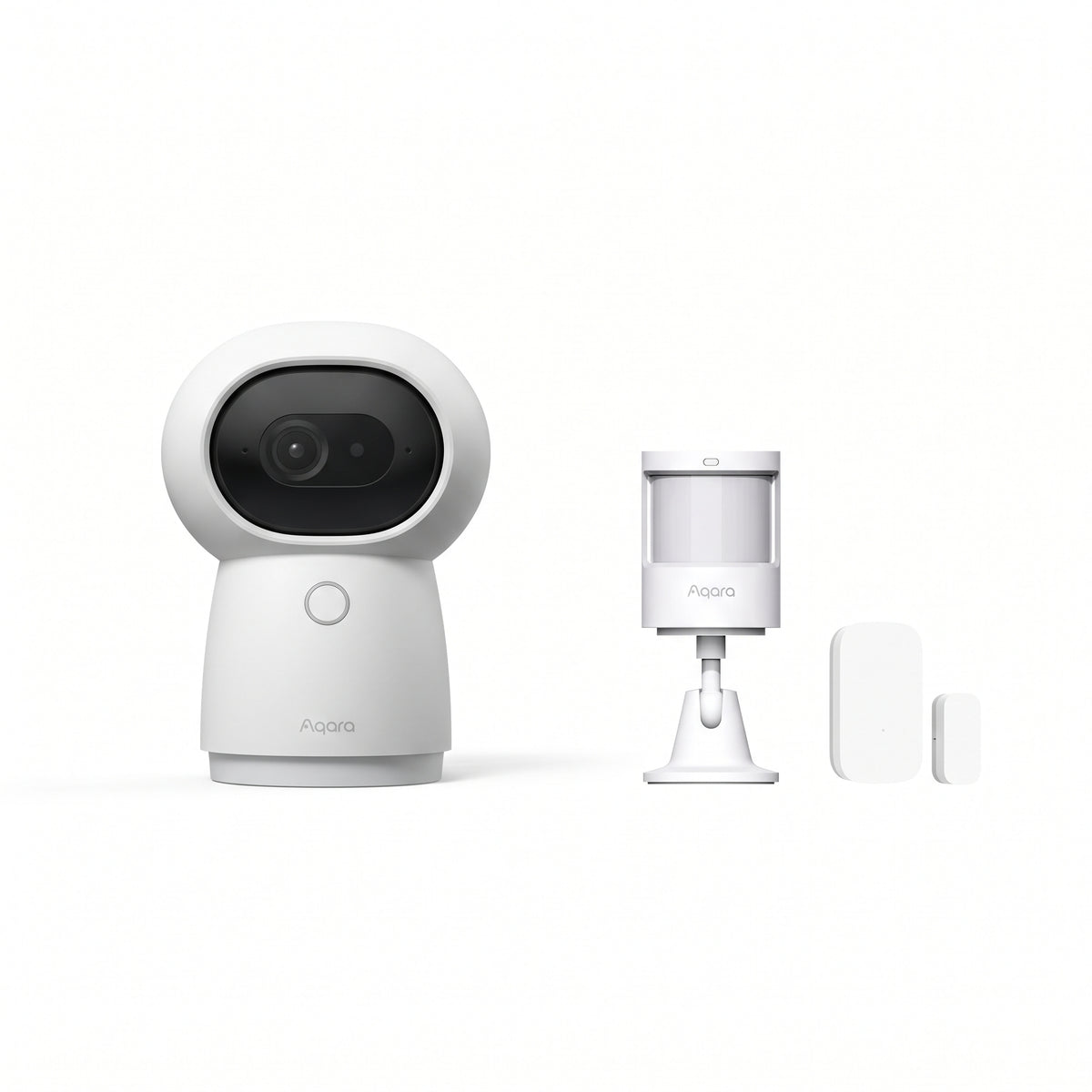
Aqara Security Kit – G3 Indoor Camera and P1 and T1 sensors
Aqara Security Kit – G3 Indoor Camera and P1 and T1 sensors
Couldn't load pickup availability
Monitor your home, detect movement, and track the opening of a door or window with the Aqara G3 + P1 + T1 security kit. This pack combines a motorized indoor camera with a built-in hub and two complementary sensors.
Check the images in Aqara Home and set up notifications to stay informed while you are away. A scalable foundation for equipping an apartment, a small house, or a secondary residence.
G3 Indoor Camera: 2K video and built-in hub
The Aqara G3 camera records in up to 2K, i.e., 2304 × 1296 pixels. Its motorized rotation allows you to adjust the view from Aqara Home to observe different parts of a room.
Its built-in Zigbee 3.0 hub connects the P1 and T1 sensors: no additional Aqara hub is needed for this kit.
The camera connects to the network via 2.4 or 5 GHz Wi-Fi and requires a permanent power supply.
P1 Motion Sensor: monitor a transit area
The Aqara P1 sensor detects movement via passive infrared. Install it in an entryway, hallway, or room to complement video surveillance.
Its coverage reaches 150° up to 7 meters and 170° up to 2 meters, depending on installation conditions. Its adjustable mount and configurable sensitivity allow you to adapt detection to the chosen location.
The P1 detects movement; it does not guarantee the detection of an immobile person.
T1 Opening Sensor: monitor a door or window
The Aqara T1 sensor detects the opening and closing of a door or window using a sensor and a magnet placed on the frame and the moving part.
Check its status in the app and set up a notification for when it opens while you are away. The sensor detects a change in status: the rules you define determine when to trigger an alert.
One T1 monitors one door or window. Additional sensors can be used to equip other entry points.
Alerts adapted to your habits
Connect the three devices in Aqara Home, then choose which events to monitor and the conditions for triggering alerts.
For example, set up a notification when a door opens while you are away, then check the camera to see what is happening in its field of vision.
Remote notifications and video viewing away from home require an Internet connection.
Local storage and Apple HomeKit Secure Video
The G3 allows for local recording on a microSD card, sold separately.
It also supports Apple HomeKit Secure Video. In this mode, video is limited to 1080p and motorized orientation controls are not available in Apple Home. Recording to iCloud requires an iCloud+ subscription and a compatible Apple setup.
Kit installation and scalability
Install the G3 indoors, with a clear view of the desired area. Place the two sensors within radio range and follow the positioning instructions in their manuals.
The sensors operate on batteries. After pairing them, test the detections and notifications before activating your surveillance.
You can then expand the kit with compatible Aqara accessories depending on the number of rooms and access points to be monitored.
Frequently asked questions
Do I need to buy an additional hub?
No. The G3 camera includes the Zigbee hub required to connect the P1 and T1 sensors in Aqara Home.
Why add a motion sensor to a camera?
The P1 can monitor a transit area separate from the camera's frame. It provides an additional detection point, even when the camera is pointed elsewhere.
Does this kit monitor the entire home?
It includes a camera, a motion sensor, and a sensor for one door or window. Coverage depends on their location and the layout of the home.
Can I record without a cloud subscription?
Yes, the G3 allows for local recording on a compatible microSD card. Cloud recording services may require a subscription.
Can the G3 be installed outdoors?
No. The G3 is a camera intended for indoor use.
The 3 devices included in the kit
Share