Sonoff S60 Wi-Fi Smart Plug
Sonoff S60 Wi-Fi Smart Plug
Couldn't load pickup availability
PC V0 flame-retardant polycarbonate casing, surge protection, internal short-circuit fuse, and built-in child safety lock: the SONOFF S60 Wi-Fi smart plug offers a high level of protection for daily home use. Compatible with 2.4 GHz Wi-Fi without a hub, it can be controlled from the eWeLink app and by voice commands with Amazon Alexa, Google Home, SmartThings, and Alice. Its LAN mode also allows local control when the smartphone and the plug are connected to the same network.
Energy Measurement, Automatic Protection, and Six-Month History
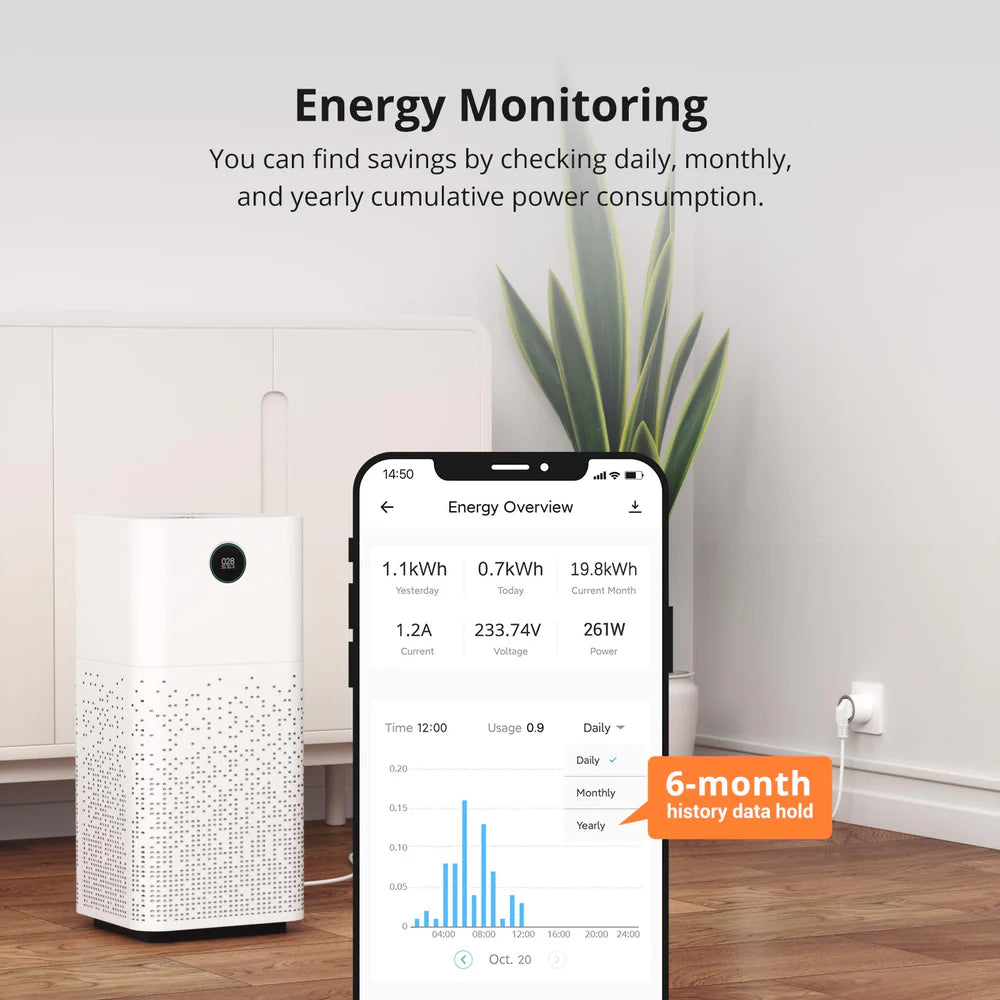
Power, voltage, and current tracking are displayed in real-time in the eWeLink app, with an exportable six-month history allowing you to analyze your devices' energy consumption. Customizable safety thresholds can automatically cut off power when power, voltage, or current exceed defined values. Push notifications immediately inform you of status changes, while an offline alert is sent five minutes after connection loss.
Scheduling, Timers, and Smart Scenes for the SONOFF S60 Wi-Fi Smart Plug
Recurring on-off loops, countdowns, and time schedules cover all daily use cases: automatically turning off a desk lamp after work hours, preparing a rice cooker before getting home, turning off a charger after a predefined duration. Via eWeLink smart scenes, the SONOFF S60 Wi-Fi smart plug connects to the SNZB-06P presence sensor to turn on lights upon arrival and automatically turn them off when no presence is detected. The plug is suitable for most household appliances compatible with a 16 A plug. However, charging electric vehicles is not recommended.
FAQ
Can the S60 plug control a washing machine or air conditioner?
Yes. With a maximum capacity of 16 A (4,000 W resistive load), the SONOFF S60 is suitable for the majority of household appliances compatible with a 16 A socket. Electric vehicle charging is, however, excluded, as it requires a charging station or a socket specifically designed for this use."
Does local control work without an internet connection?
Yes, LAN mode maintains direct control from the eWeLink app as long as the smartphone and the plug are on the same local network, without going through the cloud. Some features, such as remote notifications, require an active internet connection.
How does lightning and surge protection work?
In the event of a surge caused by lightning or an unstable power supply, the plug instantly cuts off power to protect connected equipment. The automatic fuse also trips in case of internal damage to prevent further problems.
Specifications
| Feature | Value |
| Brand / Model | SONOFF S60 Wi-Fi (Reference S60TPF) |
| Control Chip (MCU) | ESP32-C3 |
| Wireless Technology | Wi-Fi IEEE 802.11 b/g/n 2.4 GHz |
| Plug Type | Type F / Schuko (European Standard compatible with France) |
| Power Supply | 250 V AC, 50/60 Hz |
| Maximum Load | 16 A / 4000 W (Resistive loads) |
| Hardware Security Features | Lightning protection, surge protection, short-circuit fuse, child safety lock |
| Dimensions / Weight | 50 × 50 × 61.5 mm / 79 g |
| eWeLink Functions | Energy monitoring (6-month history), Overload thresholds, Local LAN mode |
| Compatibilities | eWeLink, Home Assistant (SonoffLAN), Amazon Alexa, Google Home, SmartThings |
| Certifications | CE, RoHS / PC V0 flame-retardant material |
Share